Edit your user information
Overview
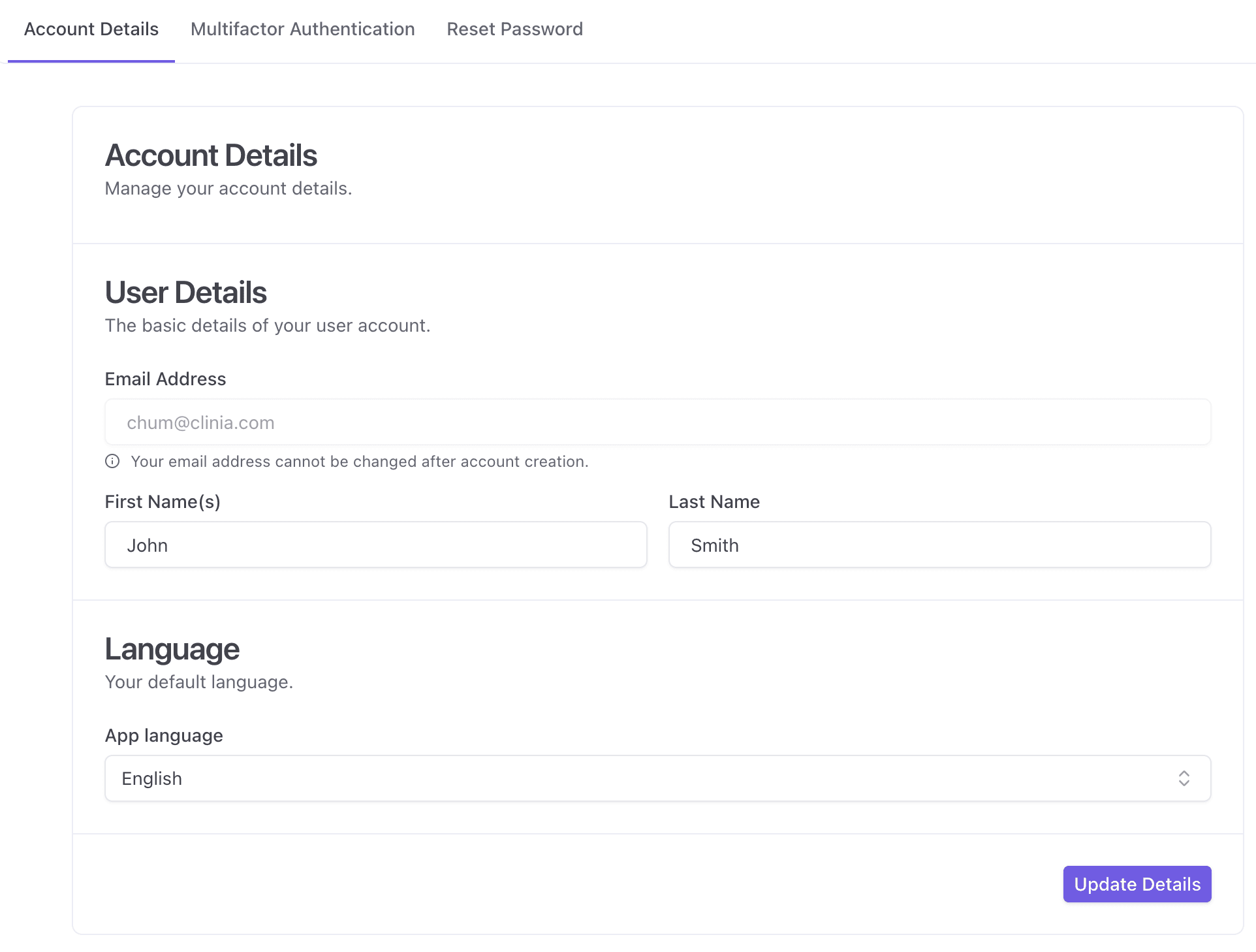
You can update your personal account details and your preferred application language (UI) from your Account Details page.
This includes:
-
Your first name and last name
-
Your default UI language
Note: Your email address cannot be changed after account creation.
Steps to edit your user information
-
Log in to Clinia’s platform (https://auth.clinia.com/)
-
Click the Account Details tab
-
Under User Details , update:
-
First Name(s)
-
Last Name
-
-
Click Update Details to save your changes
Troubleshooting
I can’t edit my email address
This is expected. Your email address is locked after account creation. If you need to update the email linked to your account, contact your organization administrator or Clinia Support.
My changes didn’t save
Try the following:
-
Confirm you clicked Update Details
-
Refresh the page and verify the changes
-
Log out and log back in
Need help?
If you’re unable to update your account details, contact your organization administrator or Clinia Support and include:
-
The email address linked to your account
-
What you were trying to update (name or language)
-
A screenshot of any error message (if applicable)